Overriding candidate details from your ATS
Written By Troy Sultan
Last updated 7 months ago
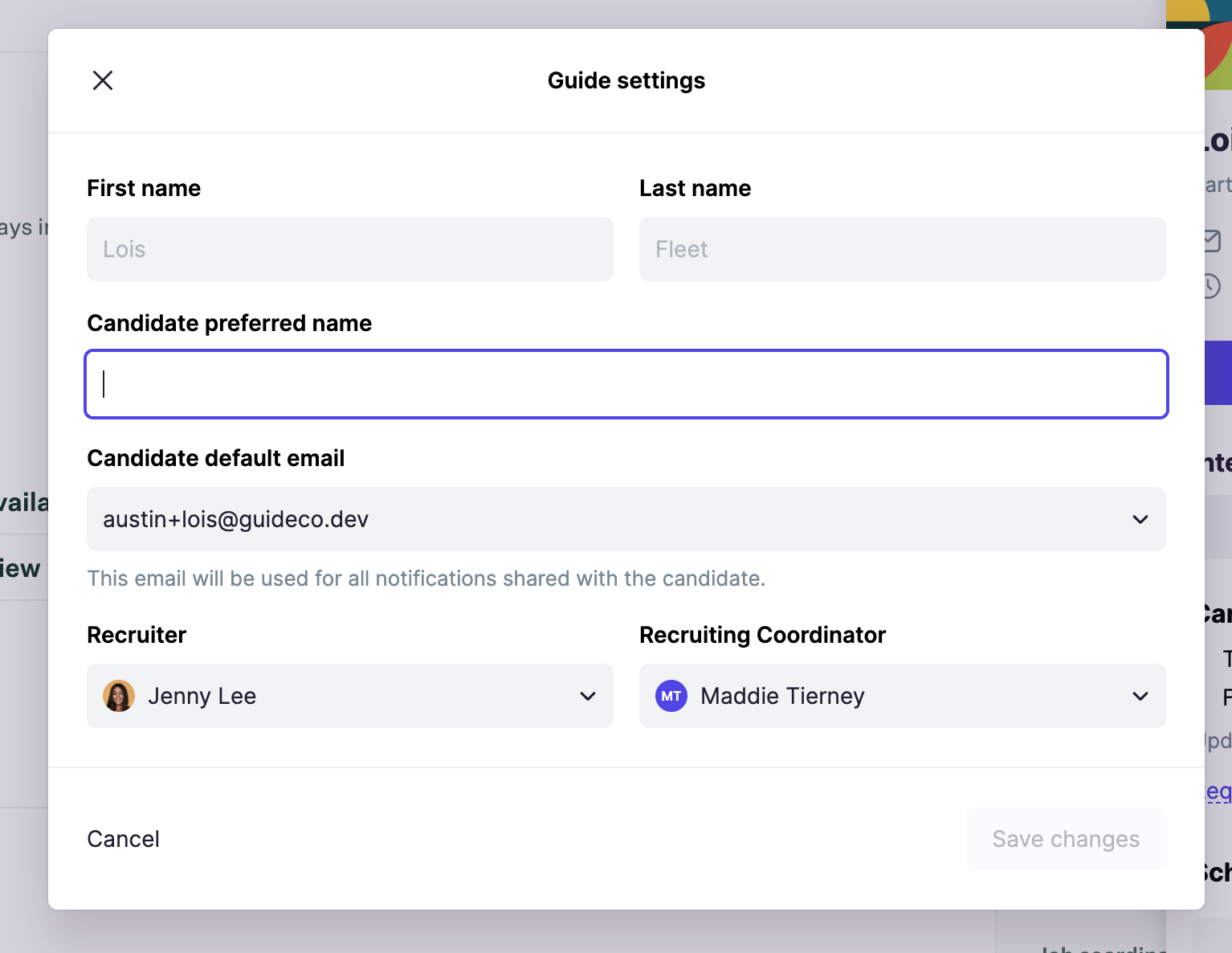
While most of the candidate's details will be pulled in automatically from your ATS, Guide allows you to override the following candidate fields:
Preferred Name
Preferred email (a selection from their Greenhouse emails)
Recruiter
Coordinator
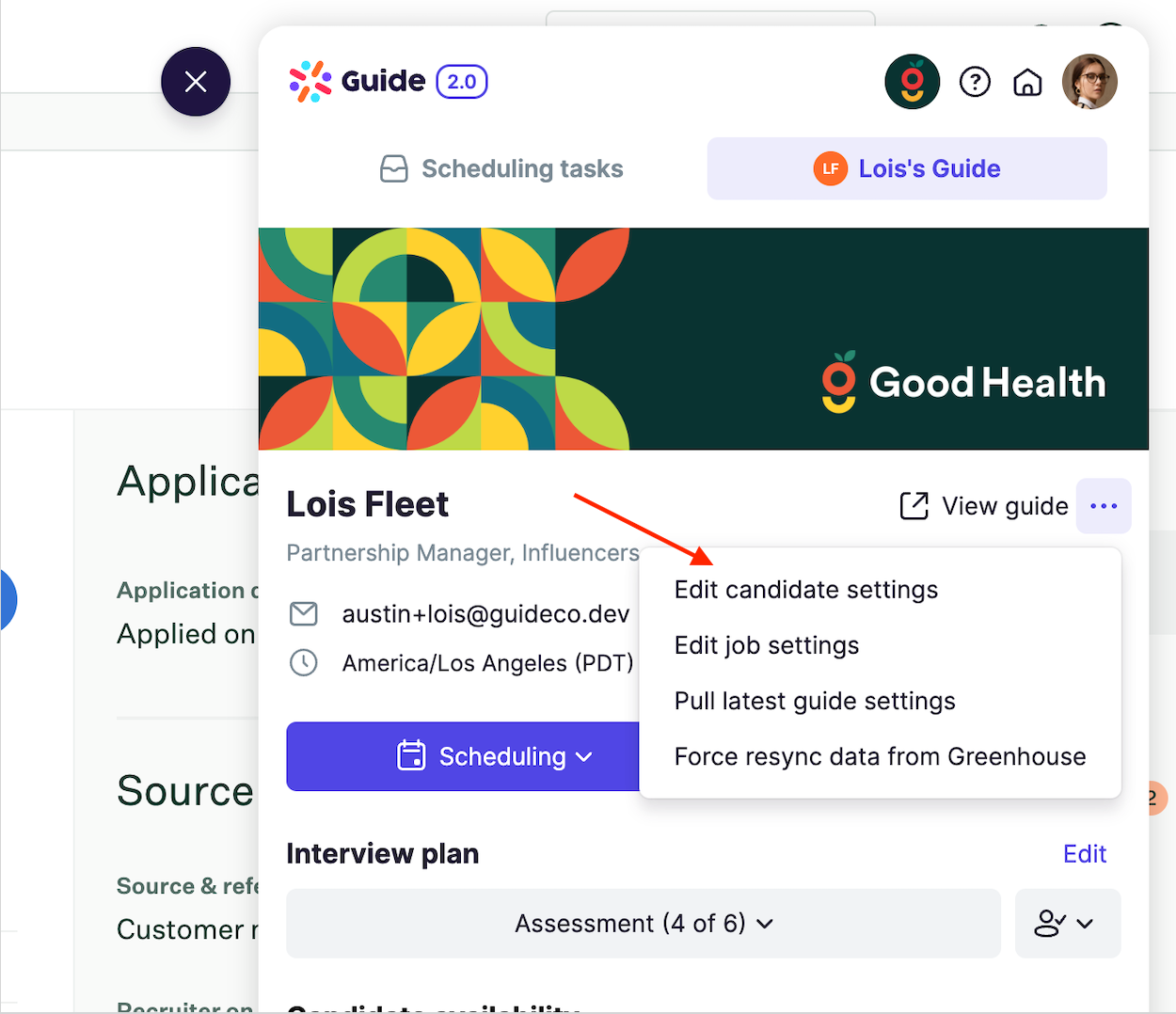
To access candidate settings, follow these steps:
From the candidate's profile, select Edit candidate settings
2. From there, you can update any of the above settings: