August 27th, 2026
New
Improved

Heads up
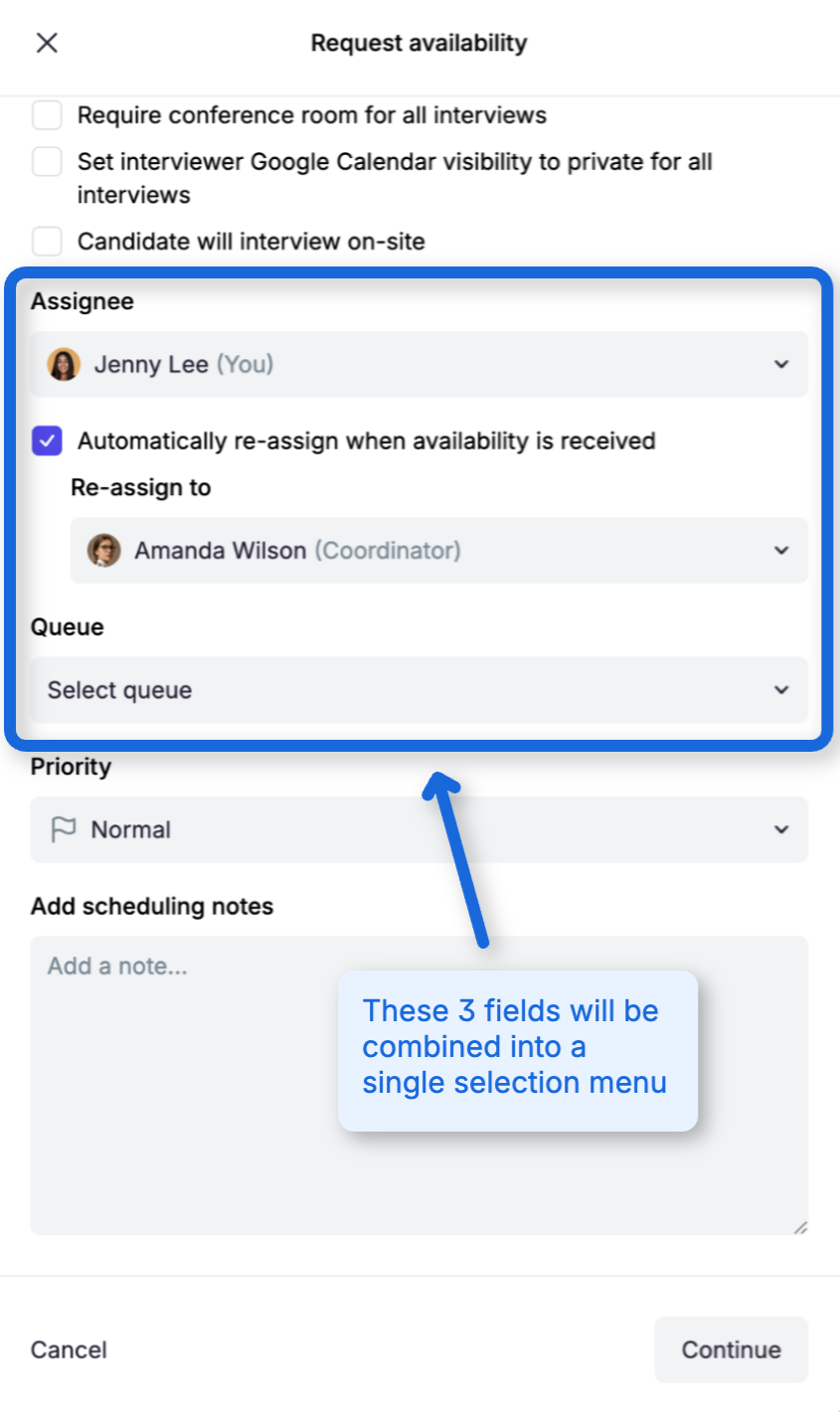
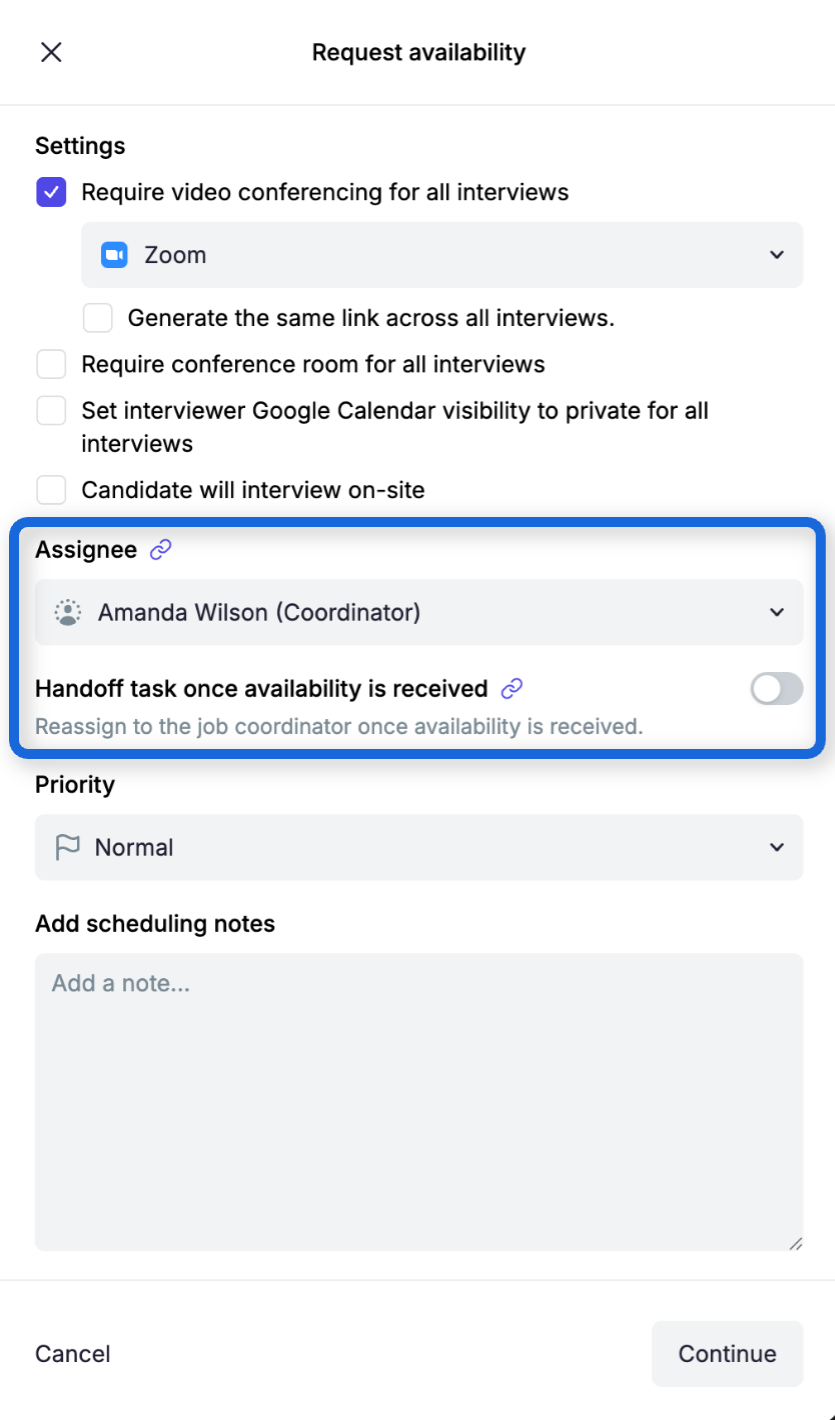
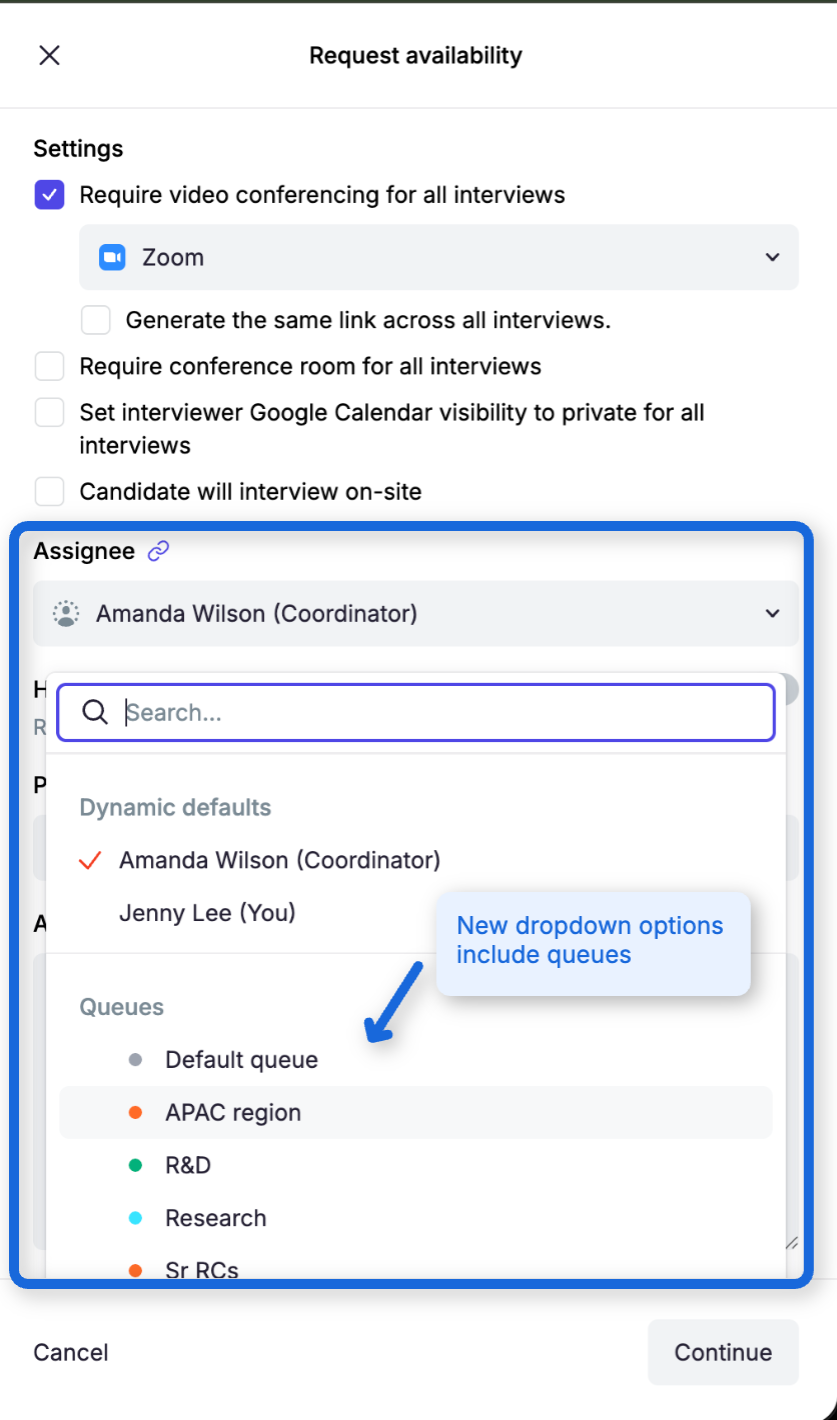
On Tuesday, September 1, we’re simplifying task assignment in the Request Availability workflow. This small update combines assignment options into a single field, helping recruiters work faster and avoid assignment mistakes.
We’ve made scheduling queues easier to understand and manage. Coordinators can now change where a task belongs without unexpectedly changing who owns it, quickly find work that needs attention, and see a clearer distinction between a task’s current state and its future handoff destination.
Queue and assignee are now managed independently
Open scheduling tasks now display separate Queue and Assignee controls on the Coordinator Dashboard and in task details.
When you move an assigned task to another queue, its current assignee is preserved. This makes it easy to correct the queue without taking the task away from the coordinator already working on it.
When an unassigned task moves into a queue, Guide runs that queue’s existing automatic-assignment strategy. If the queue has no strategy or no eligible members, the task remains unassigned and administrators are notified.
You can also move a task to No queue. Doing so preserves its current assignee and does not run automatic assignment.
Availability handoffs show current and future ownership separately
For tasks using Handoff task once availability is received, Guide now separates:
The current assignee
The current queue, shown as read-only No queue before handoff
The future person or queue selected as the handoff target
You can update the current assignee without changing the handoff target. You can also edit the future target or select Turn off handoff. When availability is received, Guide moves the task into its destination queue and runs that queue’s assignment strategy.
What you need to do
Nothing. Your existing queues, members, assignment strategies, and scheduling defaults continue to work as configured.
These improvements give coordinators more control over queue membership while preserving clear ownership of every scheduling task.
August 17th, 2026
New
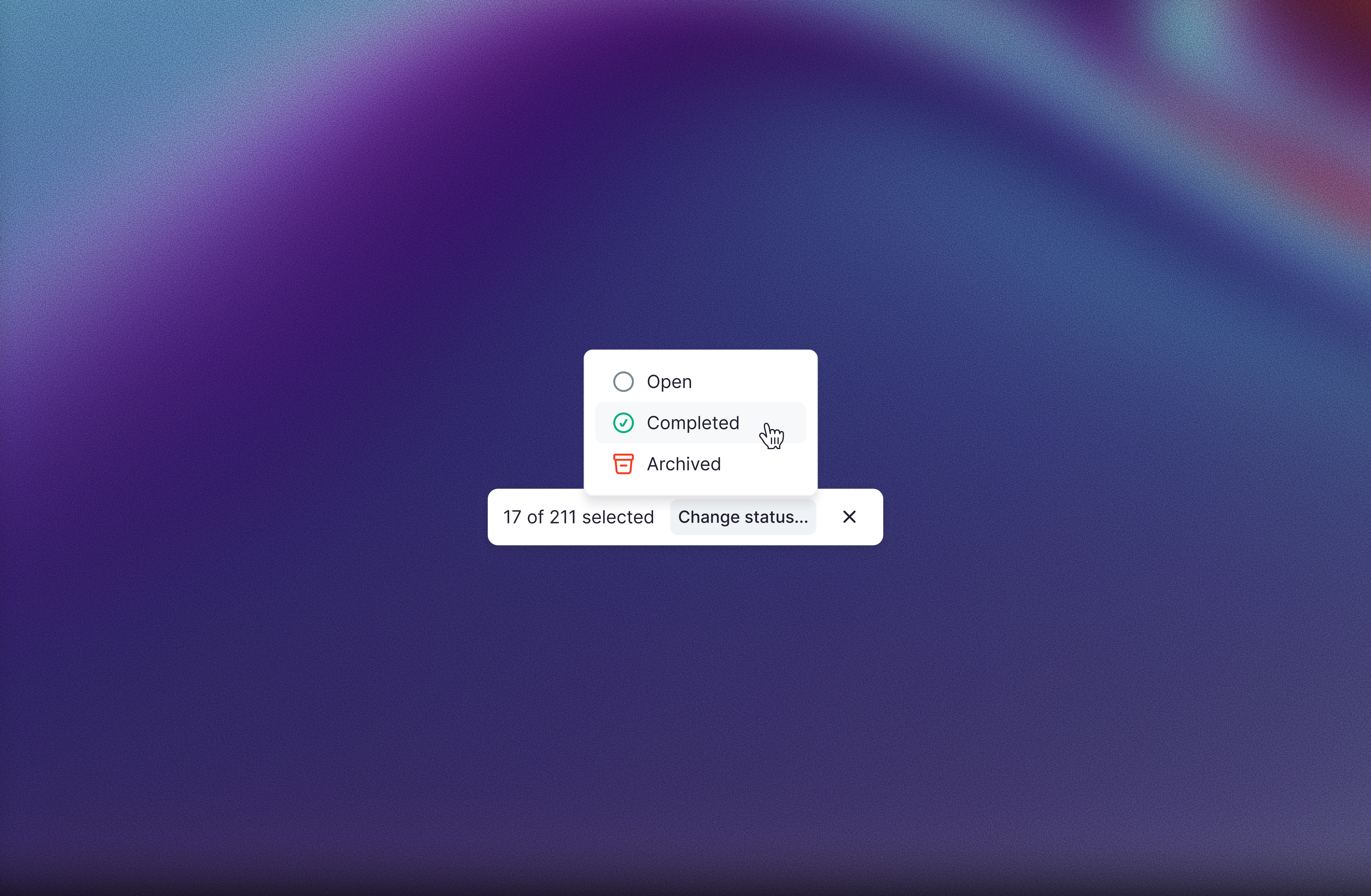
Guide's scheduling tasks dashboard now supports multi-select and bulk status changes. Select tasks with checkboxes — or select everything matching your filters — then use Change status… to move them to Open, Completed, or Archived in one confirmed step. Large batches run in the background and the list refreshes itself when they finish.
Selection works the way you'd expect from your inbox: pick one task with its checkbox, then click rows to extend the selection, and clear it with Esc. You'll also notice selected rows now highlight in gray across Guide's tables.
July 20th, 2026
New

Guide now supports bulk updating interviewer profiles from a CSV file. Org admins can export active interviewer data, edit it offline, and re-import it through Settings → Bulk data import — the same workflow used for blocked dates and training-path imports.
The import covers display name, title, LinkedIn URL, tags, timezone, and daily/weekly interview load limits. A validation preview shows which rows will update, which emails don't match existing interviewers, and any errors to fix before committing. Tag updates are additive by default; admins can opt in to replace existing tags for matched interviewers.
July 19th, 2026
New
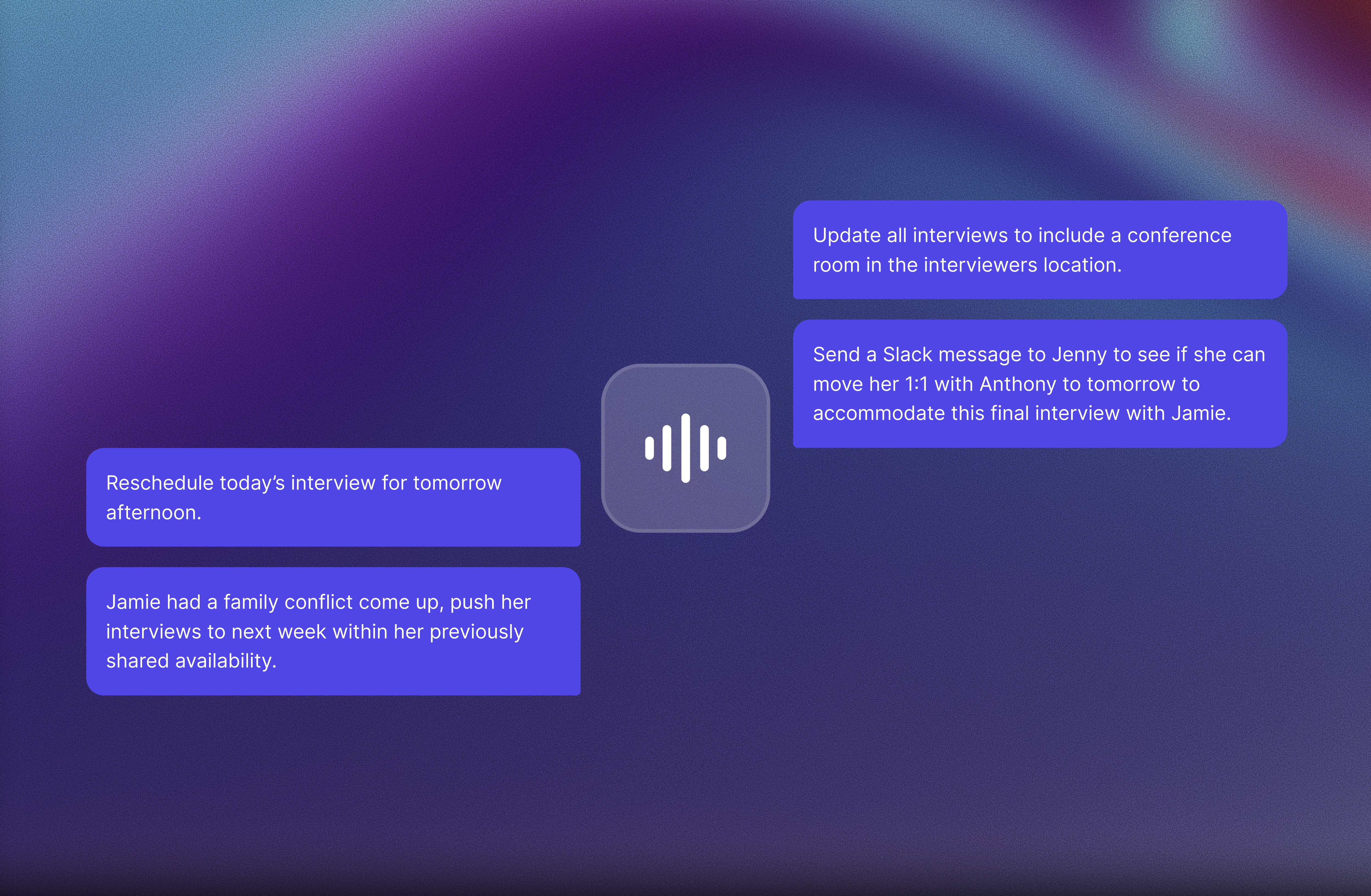
Recruiters can now dictate prompts in Aria 2.0 chat instead of typing every message. Select the microphone beside Send, record the prompt, and review or edit the transcription before sending it to Aria.
Voice input can add speech to an existing draft, insert it at the cursor, or replace selected text. The message remains an editable draft and is never sent automatically, so recruiters can correct the transcription first.
June 29th, 2026
New
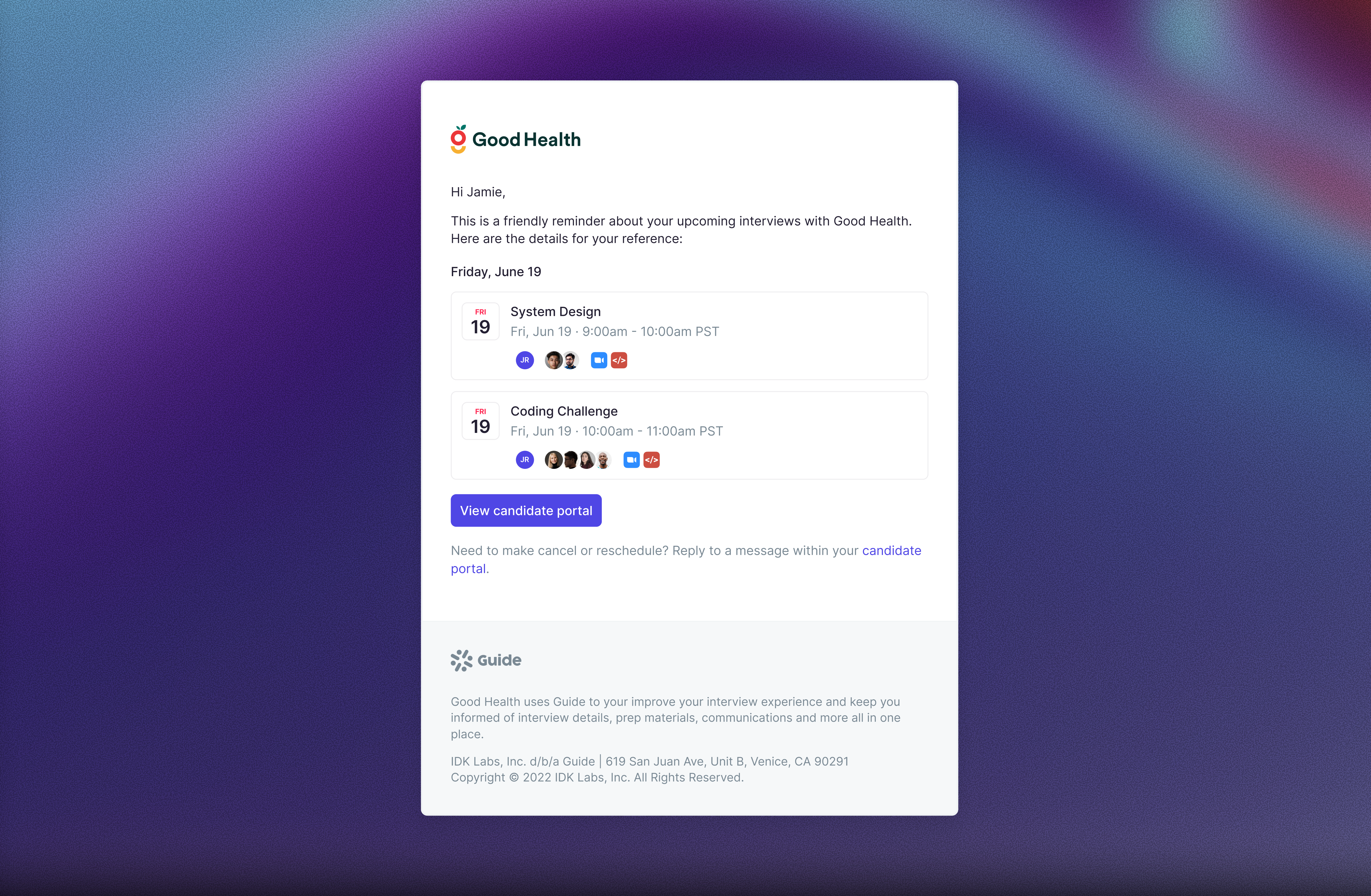
Guide can now automatically send candidates an email reminder before scheduled interviews. Admins can turn reminders on in organization notification settings and choose whether they send 24 or 48 hours before the interview.
When a candidate has multiple interviews on the same day, Guide sends one grouped reminder with the details for each interview, helping candidates stay prepared without extra manual follow-up from your team.
June 15th, 2026

Guide can now automatically reject candidates when their application is rejected in Greenhouse. When enabled, Guide also cleans up the related scheduling work: open scheduling tasks are archived, upcoming interviews are cancelled, availability and self-schedule requests are closed, and the candidate’s Guide-created Slack channel is archived.
Org Admins can turn this on from …/settings/automations with the Auto-reject in Guide when rejected in Greenhouse setting. The setting only applies to new Greenhouse rejections going forward.
May 5th, 2026
New
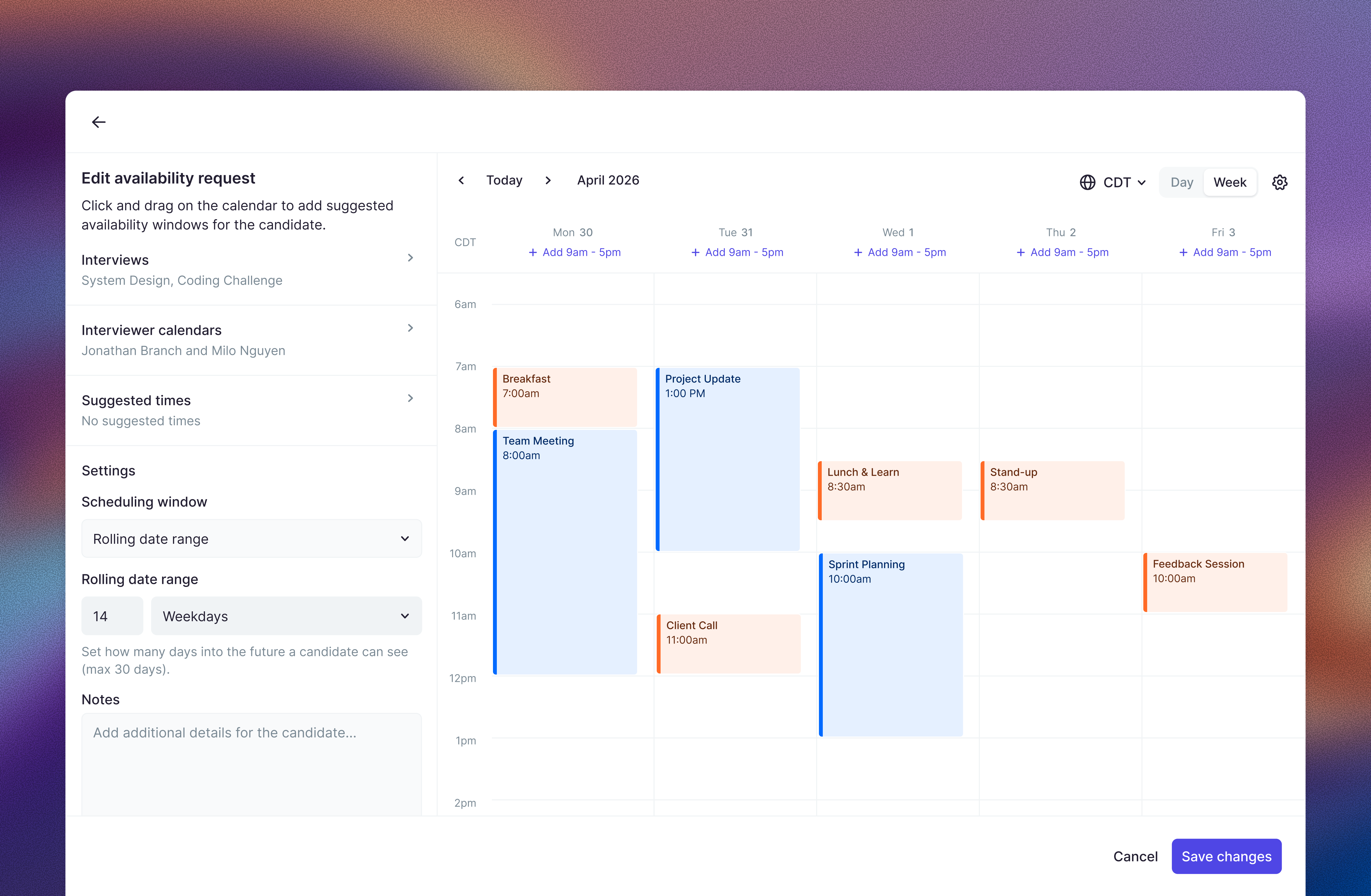
You can now add restrictions to candidate availability requests, giving teams more control over when candidates can propose times. Instead of collecting completely open-ended availability, recruiters can guide candidates toward specific days, time windows, or constraints that better align with interviewer schedules and internal logistics. This is especially helpful for high-volume or tightly coordinated interview processes, reducing back-and-forth and improving scheduling efficiency.
May 4th, 2026
Improved
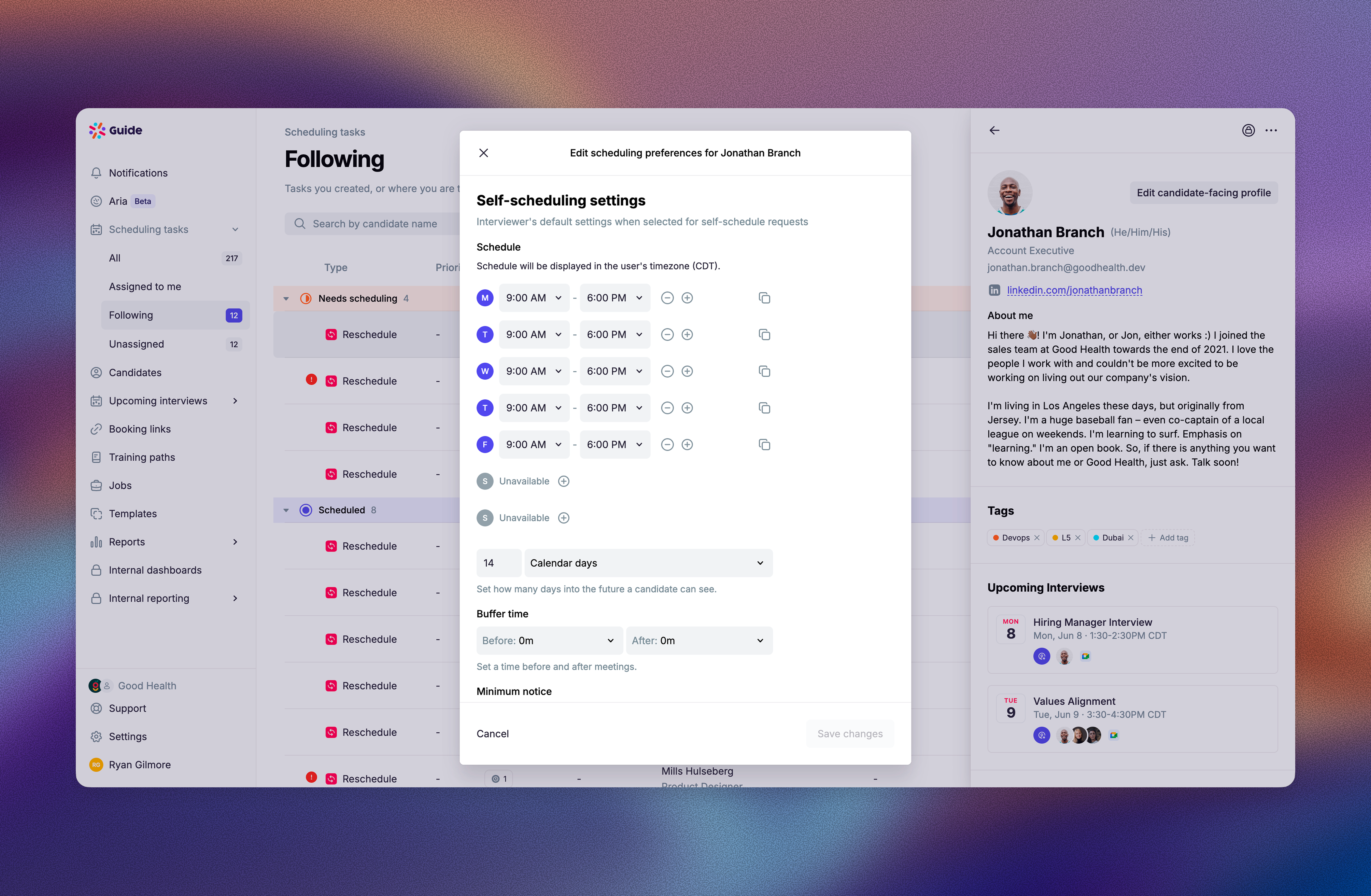
Recruiters and Recruiting Coordinators can now update an interviewer's default self-scheduling settings directly from Edit scheduling preferences.
Previously, Edit scheduling preferences covered the interviewer's general availability, but self-schedule defaults like Bookable Hours, minimum notice, buffer time, and rolling date range had to be saved from a self-schedule request. That made it easy to update an interviewer's Working Hours and still have candidate self-schedule slots use a different bookable schedule.
The dialog now has two sections:
Availability controls when the interviewer is generally available to be scheduled for interviews.
Self-scheduling settings controls the defaults applied when candidates self-schedule with that interviewer.
Changes saved in Self-scheduling settings become the interviewer's defaults for new self-schedule requests. The existing per-request Save these settings as defaults checkbox still works and writes to the same defaults.
May 4th, 2026
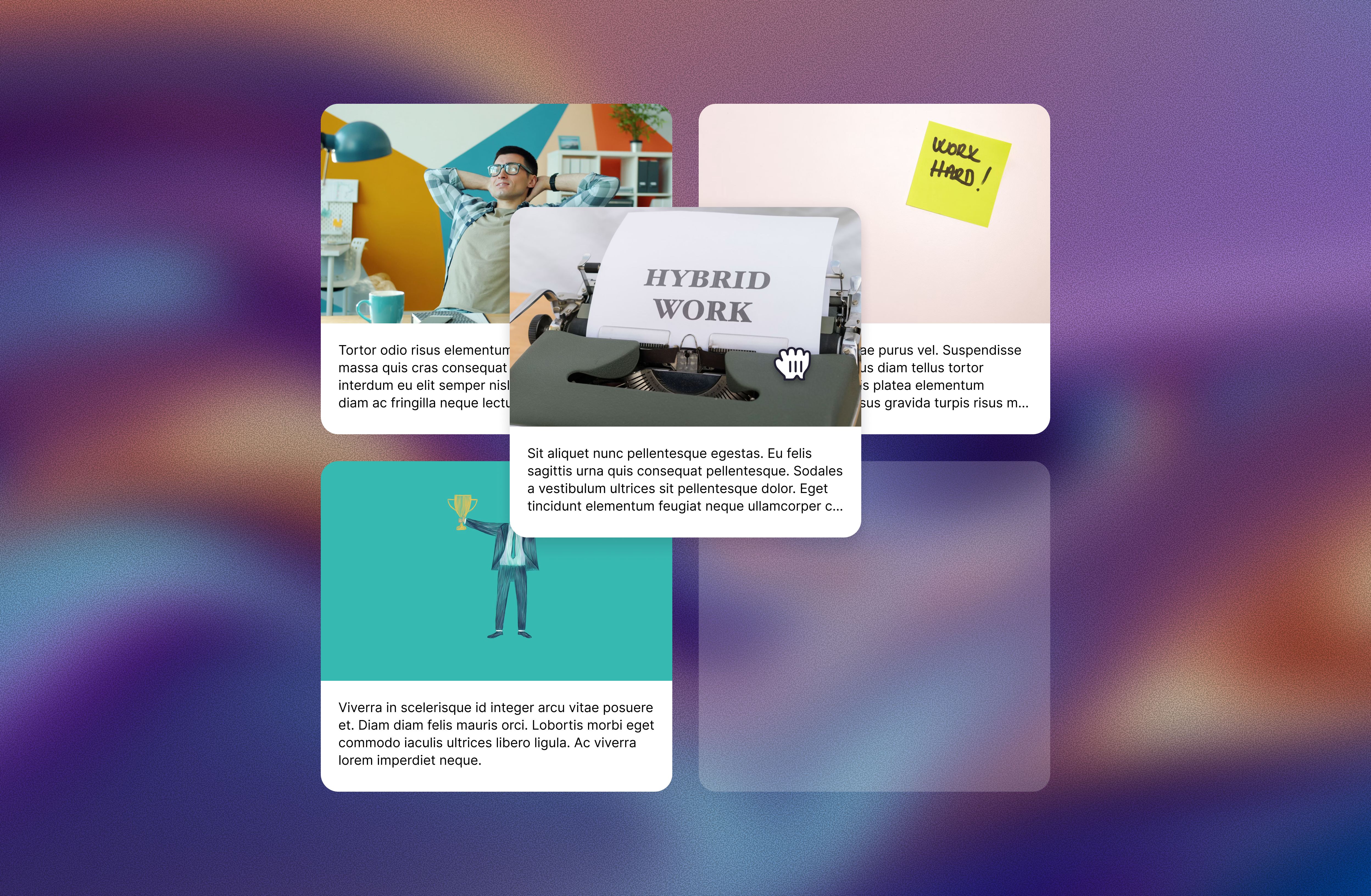
You can now rearrange link cards within the same card group without rebuilding the section from scratch. Drag cards into a new order, or use the card menu to move an item up, down, to the top, or to the bottom of the group.
This is especially helpful for grouped news, resources, or story feeds where the layout should stay intact but the order changes over time.
May 4th, 2026
New

Aria can use interviewer tags, like Location, when following scheduling instructions. That means teams can tell Aria to check where an interviewer is based and book an available conference room in the matching office, instead of leaving schedulers to resolve room selection manually.
If Aria needs a room but can’t find the right location tag, it can flag the scheduler to step in.