Changelog

Follow new updates and improvements to Guide.

Improved Scheduling Queue and Task Assignment Controls

Heads up
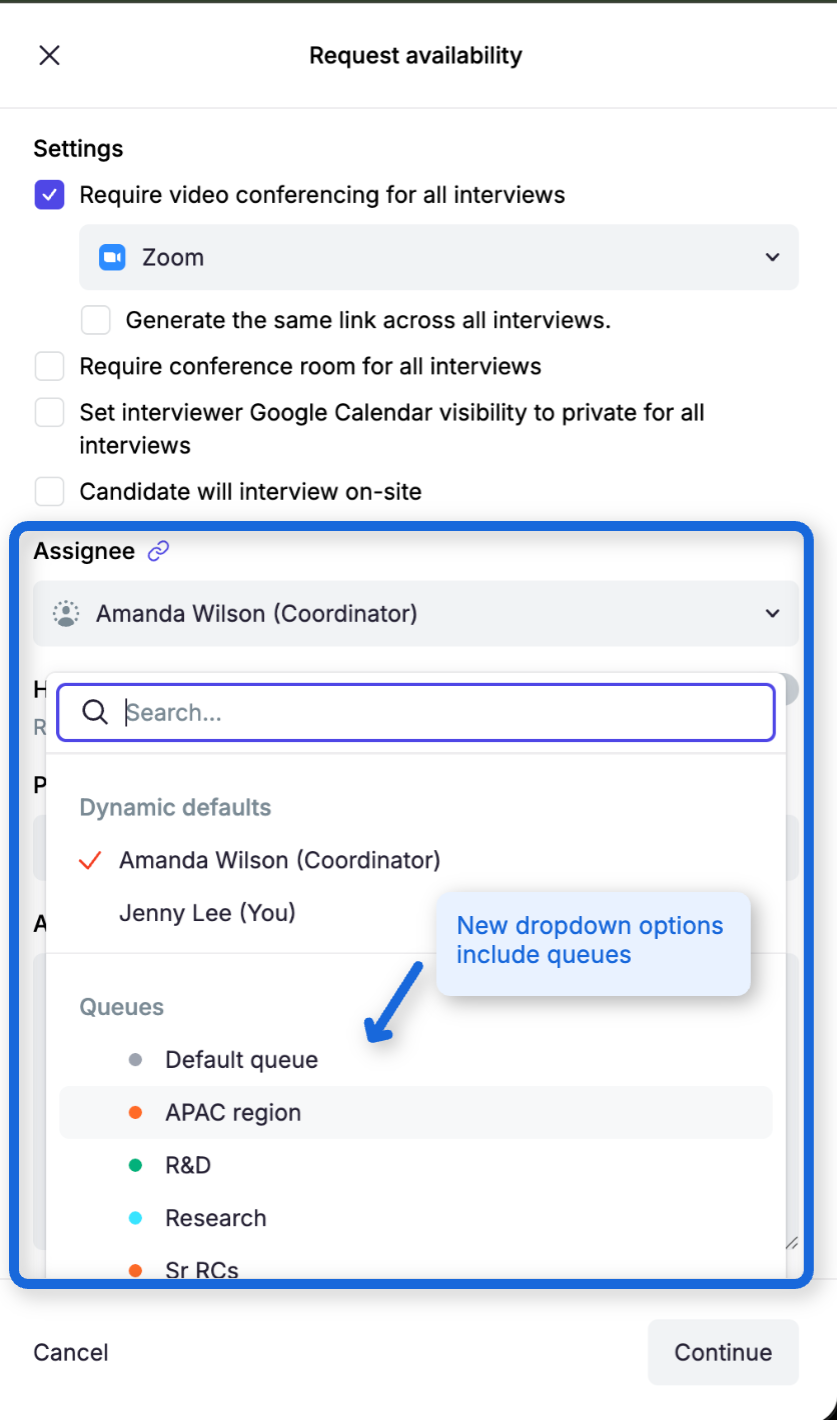
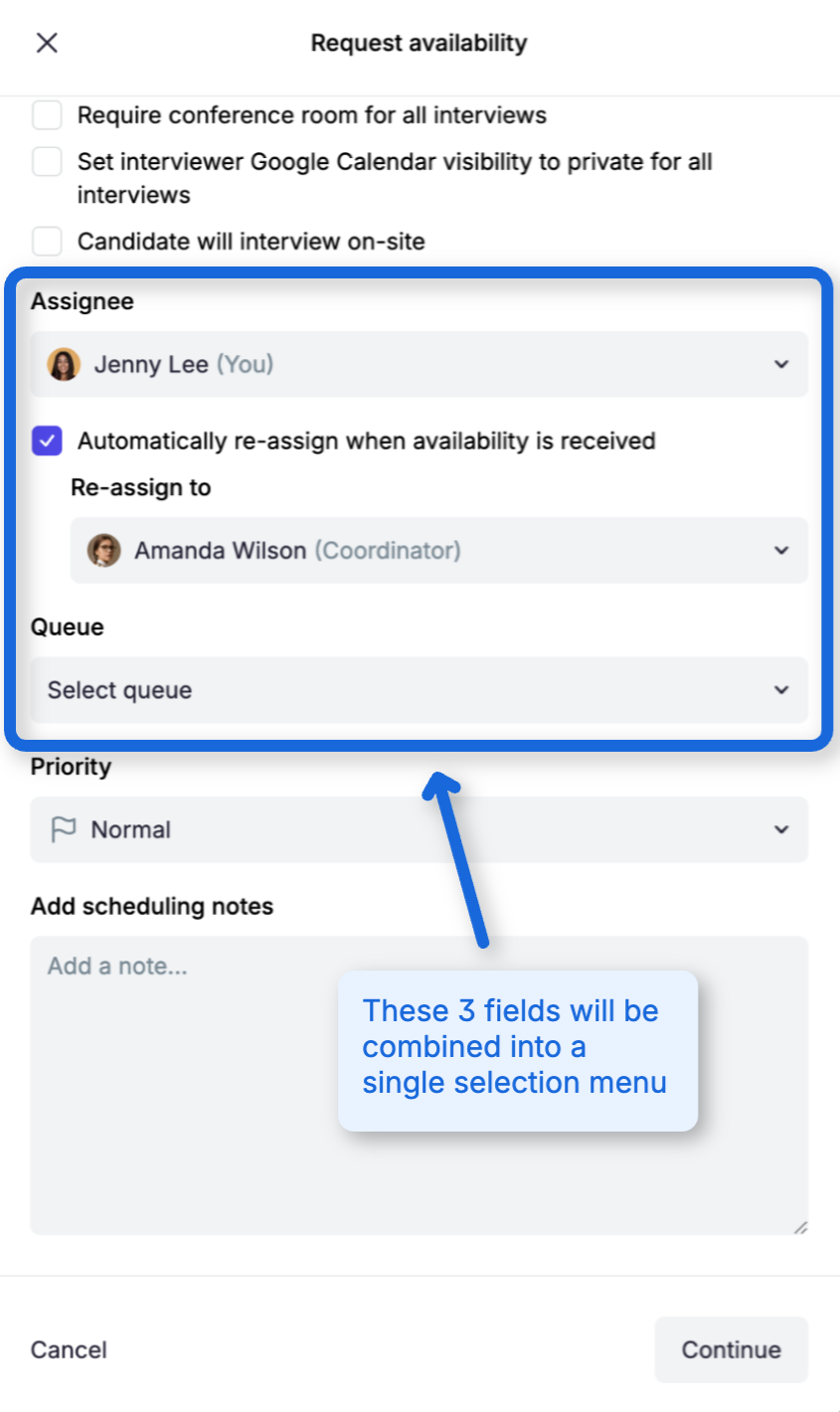
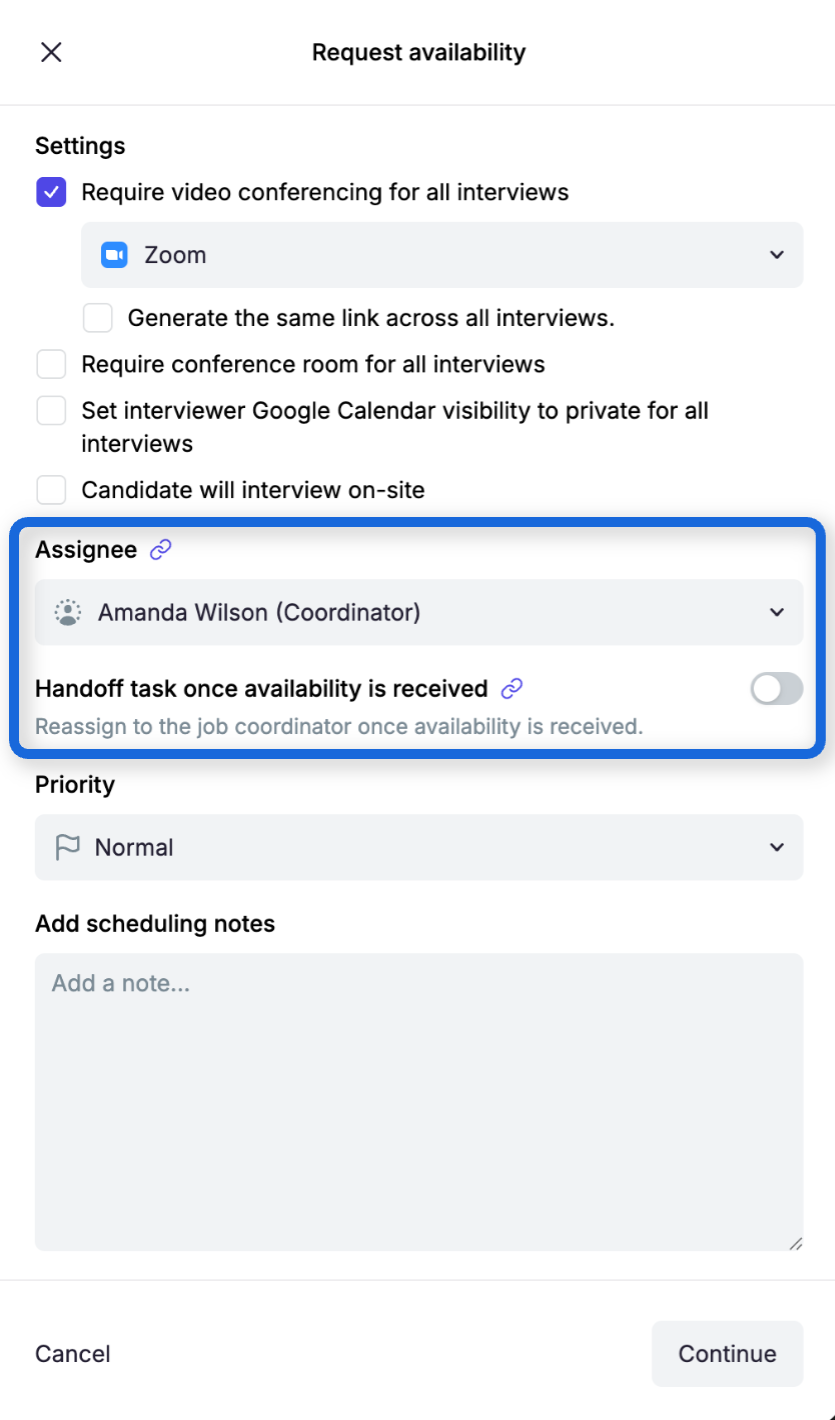
On Tuesday, September 1, we’re simplifying task assignment in the Request Availability workflow. This small update combines assignment options into a single field, helping recruiters work faster and avoid assignment mistakes.

We’ve made scheduling queues easier to understand and manage. Coordinators can now change where a task belongs without unexpectedly changing who owns it, quickly find work that needs attention, and see a clearer distinction between a task’s current state and its future handoff destination.

Queue and assignee are now managed independently

Open scheduling tasks now display separate Queue and Assignee controls on the Coordinator Dashboard and in task details.

When you move an assigned task to another queue, its current assignee is preserved. This makes it easy to correct the queue without taking the task away from the coordinator already working on it.

When an unassigned task moves into a queue, Guide runs that queue’s existing automatic-assignment strategy. If the queue has no strategy or no eligible members, the task remains unassigned and administrators are notified.

You can also move a task to No queue. Doing so preserves its current assignee and does not run automatic assignment.

Availability handoffs show current and future ownership separately

For tasks using Handoff task once availability is received, Guide now separates:

  • The current assignee

  • The current queue, shown as read-only No queue before handoff

  • The future person or queue selected as the handoff target

You can update the current assignee without changing the handoff target. You can also edit the future target or select Turn off handoff. When availability is received, Guide moves the task into its destination queue and runs that queue’s assignment strategy.

What you need to do

Nothing. Your existing queues, members, assignment strategies, and scheduling defaults continue to work as configured.

These improvements give coordinators more control over queue membership while preserving clear ownership of every scheduling task.
NewImproved

🗓️ Update interviewer self-scheduling defaults from scheduling preferences

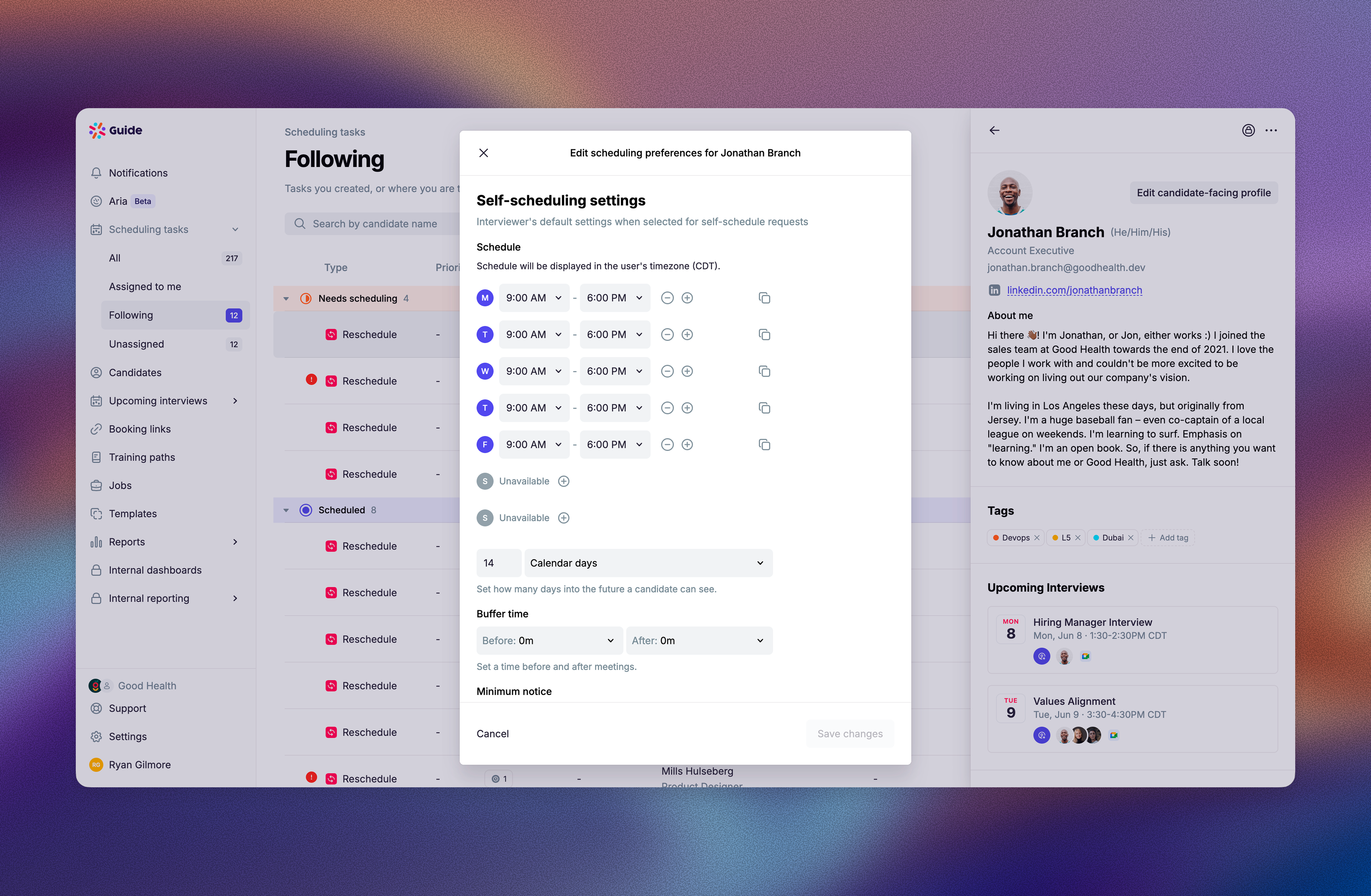
Recruiters and Recruiting Coordinators can now update an interviewer's default self-scheduling settings directly from Edit scheduling preferences.

Previously, Edit scheduling preferences covered the interviewer's general availability, but self-schedule defaults like Bookable Hours, minimum notice, buffer time, and rolling date range had to be saved from a self-schedule request. That made it easy to update an interviewer's Working Hours and still have candidate self-schedule slots use a different bookable schedule.

The dialog now has two sections:

  • Availability controls when the interviewer is generally available to be scheduled for interviews.

  • Self-scheduling settings controls the defaults applied when candidates self-schedule with that interviewer.

Changes saved in Self-scheduling settings become the interviewer's defaults for new self-schedule requests. The existing per-request Save these settings as defaults checkbox still works and writes to the same defaults.

Improved

🔄️ Improved Greenhouse email template sync controls

Admins can now clean up and manage Greenhouse-synced message templates faster in Guide.

On the Message templates page, you can filter templates by Source to see which templates were synced from Greenhouse versus created in Guide. You can also select templates in bulk, including all templates that match the current filters, then archive or restore them together.

Greenhouse-connected orgs also have two new sync controls in the Greenhouse settings dialog:

  • Sync new templates from Greenhouse

  • Sync changes to existing templates from Greenhouse

Both are on by default. Turn either setting off when you want Guide to pause creating new message templates from Greenhouse or pause applying Greenhouse edits to existing templates.

When you turn a paused setting back on, Guide shows a confirmation with the number of templates that will catch up on the next sync. Templates edited directly in Guide are still protected from Greenhouse updates.

Improved

Earlier updates