Adding CCs to Candidate Emails
Learn how CCs work in Guide, when to use it and how Guide remembers your preferences.
Written By Troy Sultan
Last updated 10 months ago
✉️ Can I CC Others on Candidate Emails?
Yes — Guide supports adding CCs to candidate emails, but not BCCs.
You can CC:
Recruiters
Sourcers
Coordinators
Anyone else who should be looped in on the candidate communication
🛠️ How to Add a CC
When composing a message to a candidate:
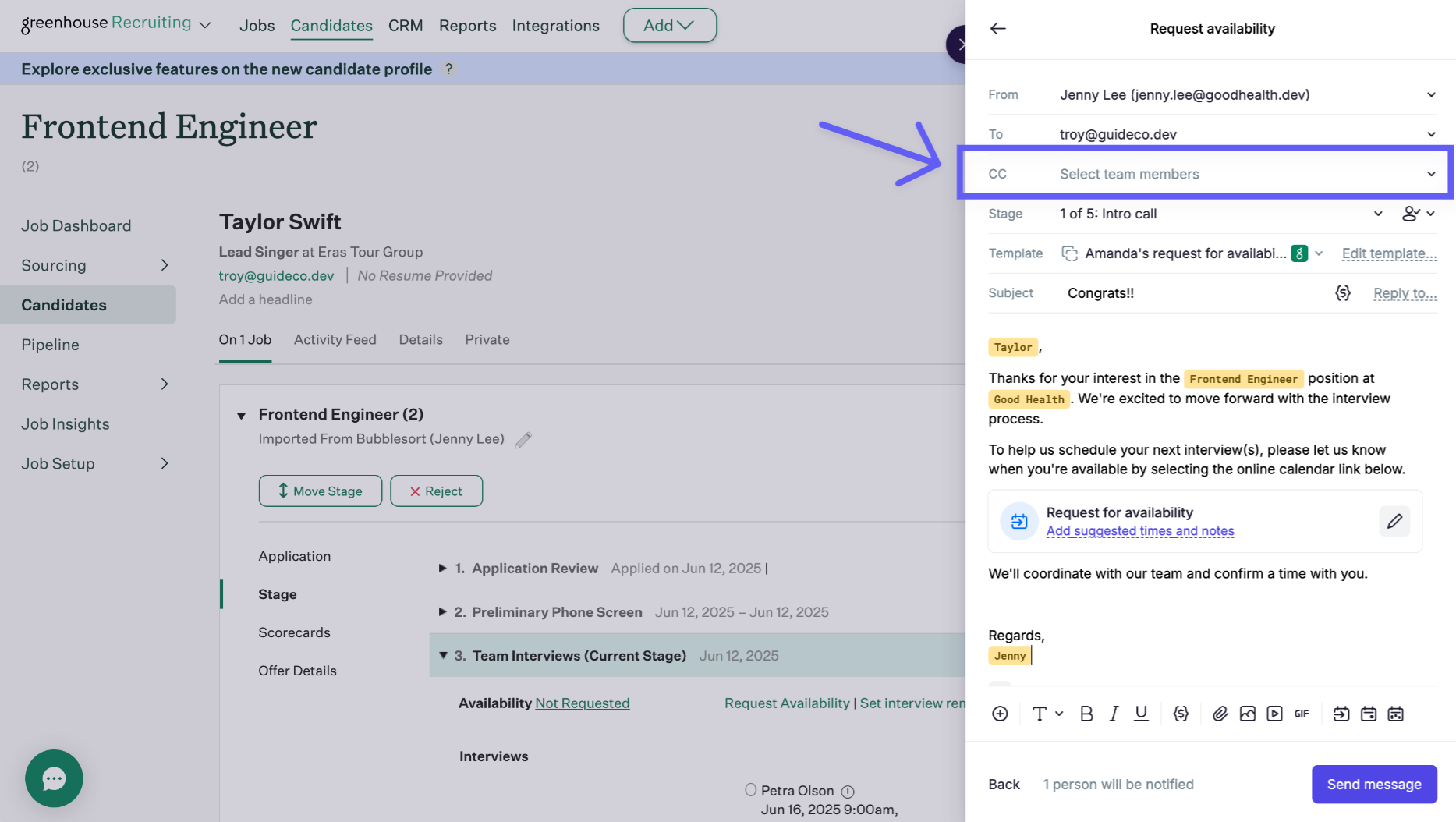
Click the CC dropdown next to the “To” field
Select one or more users to include
Send the message — the selected CCs will receive the same candidate email
💾 Guide Remembers Your Preferences
The first time you add a CC, Guide will remember that setup for future use. That means:
You don’t need to reselect CCs every time
It’s tied to you as a sender (not global or org-wide)
🧠 Tip: If you regularly loop in a specific recruiter or sourcer, set it once and it’ll carry forward for all future messages.
Was this helpful?
Still need help? Ask the team