How to Share a Candidate's Schedule into an Existing Channel
Quickly share a candidate's full interview schedule into an existing Slack channel
Written By Troy Sultan
Last updated 7 months ago
If you prefer not to create a new candidate-specific Slack channel, Guide offers a flexible Copy Schedule feature for easy sharing in an existing Slack channel:
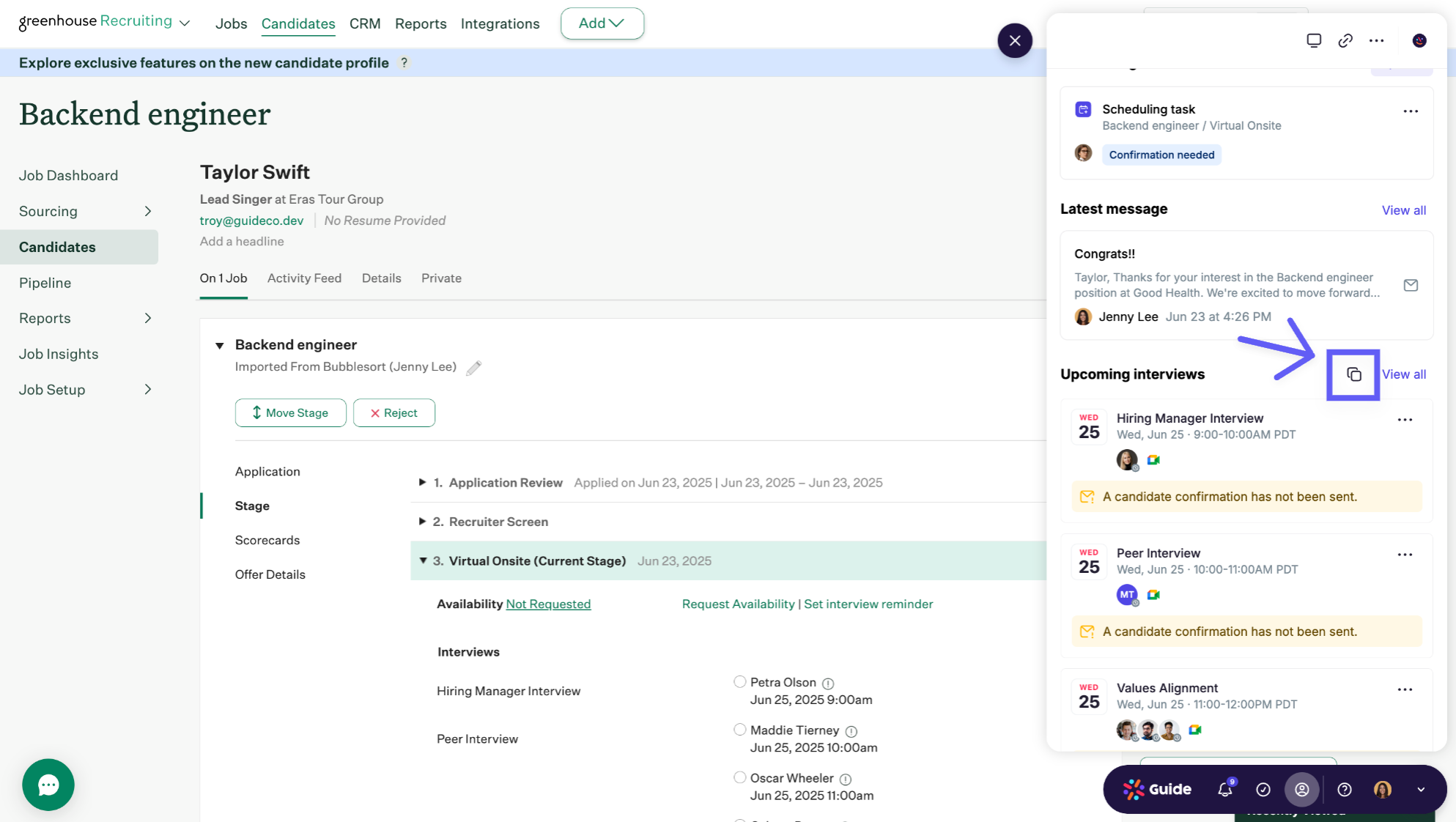
From the candidate’s profile, click “Copy Schedule”
2. Choose your desired time zone & copy
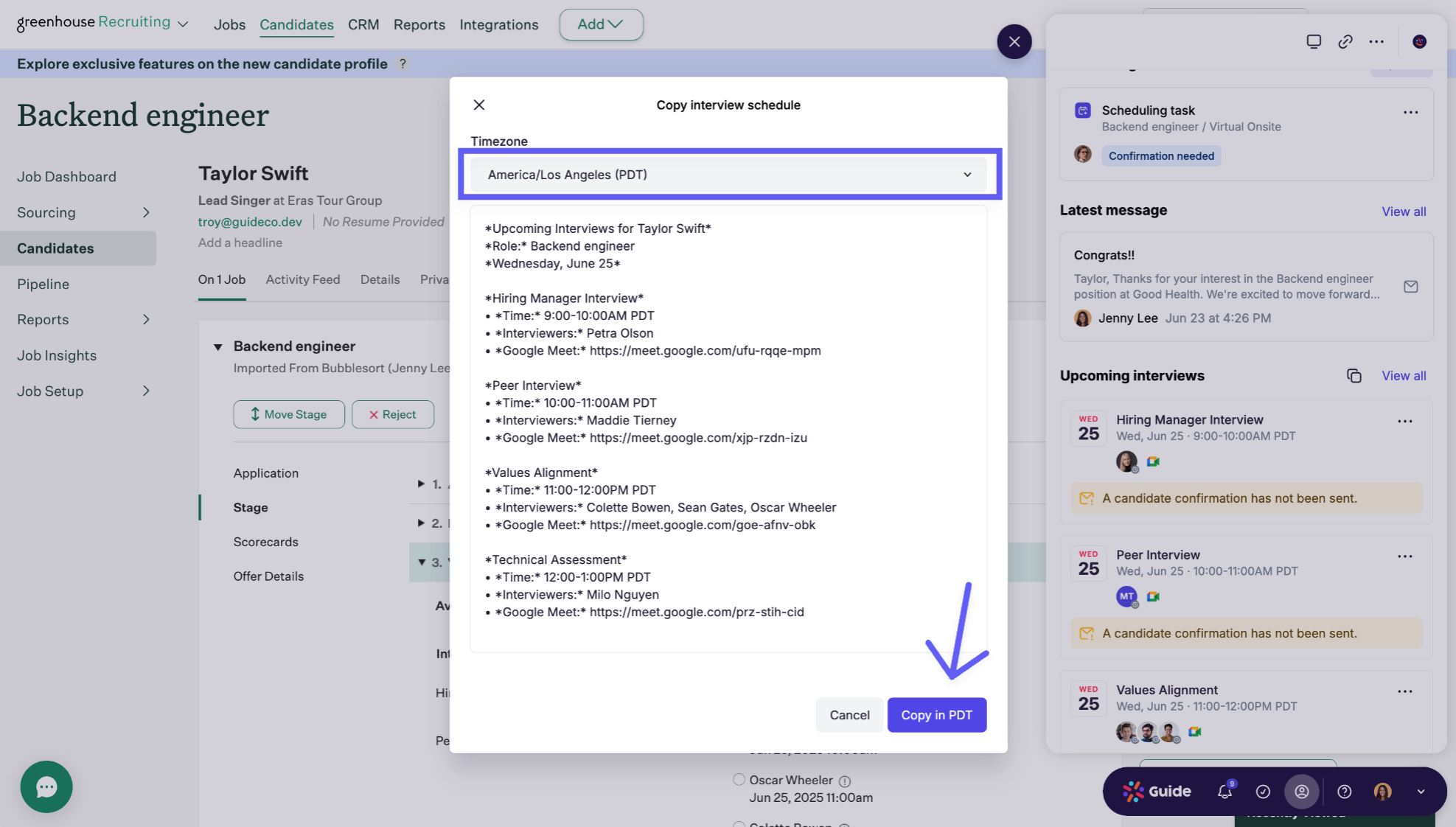
3. Paste into any Slack thread — the format is Slack-optimized and easy to read
This is a great option for sharing updates into team-wide or function-specific channels.
Details
Data
Type