Overriding candidate details from your ATS
Written By Troy Sultan
Last updated 10 months ago
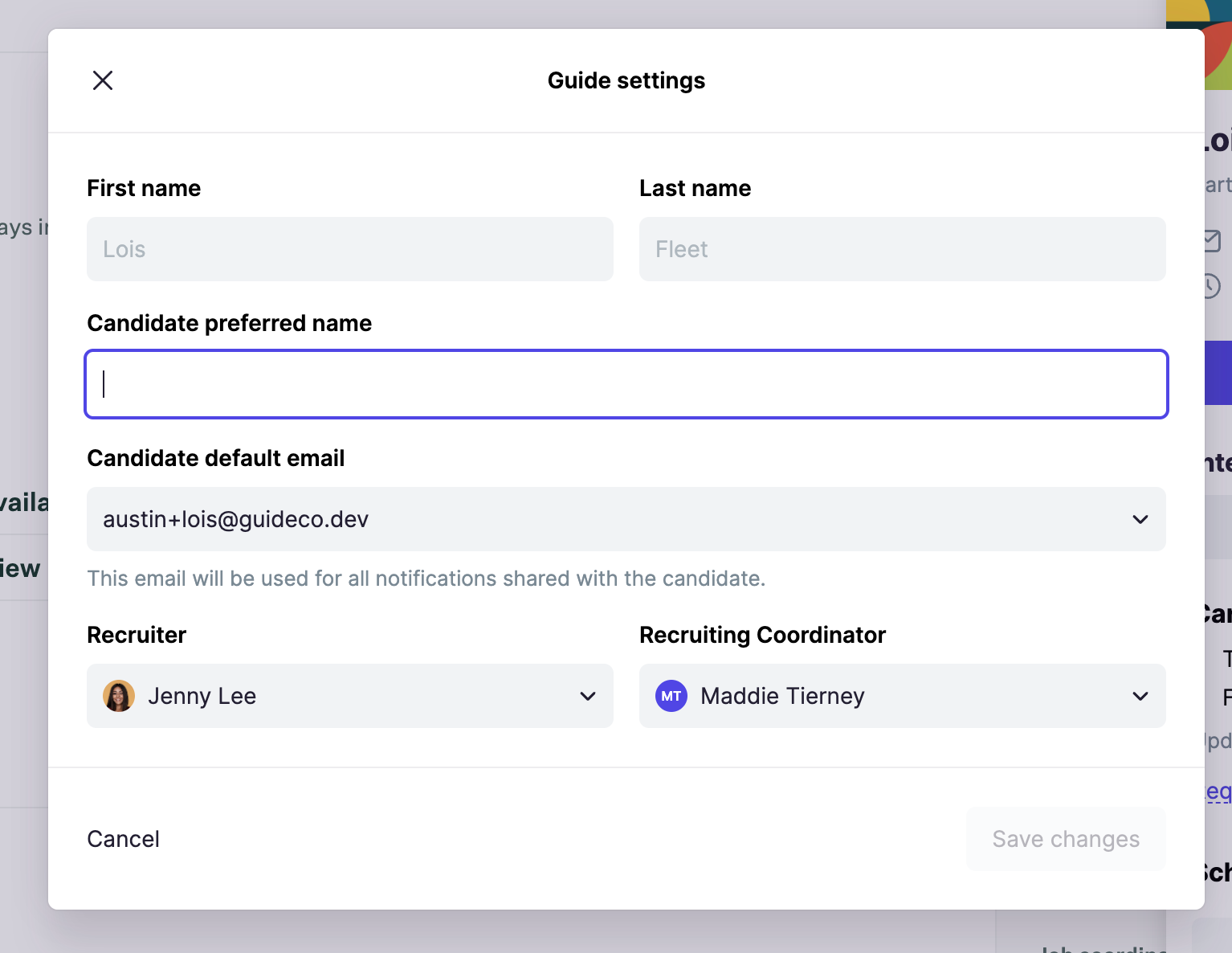
While most of the candidate's details will be pulled in automatically from your ATS, Guide allows you to override the following candidate fields:
Preferred Name
Preferred email (a selection from their Greenhouse emails)
Recruiter
Coordinator
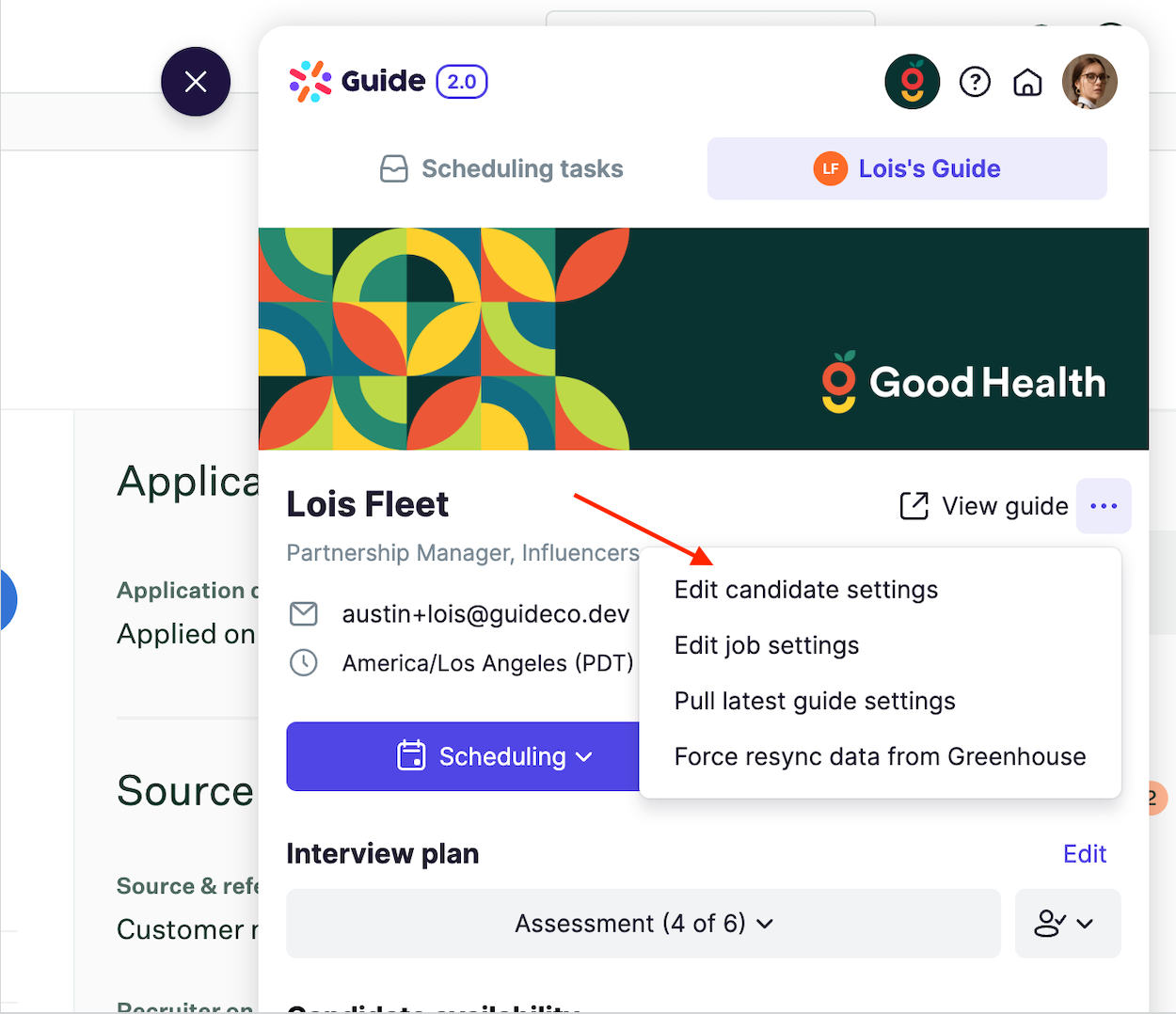
To access candidate settings, follow these steps:
From the candidate's profile, select Edit candidate settings
2. From there, you can update any of the above settings:
Was this helpful?
Still need help? Ask the team