Migrating your Guide account from Greenhouse to Ashby
When switching your ATS from Greenhouse to Ashby, this article walks you through what to expect and how to ensure a smooth transition
Written By Troy Sultan
Last updated 7 months ago
✅ What stays the same in Guide?
Since Guide's chrome extension works exactly the same across all ATSs, your end-user workflows will remain unchanged:
Guide's scheduling interface and user experience stay exactly the same.
Recruiters will still schedule from within Ashby using Guide.
Interviewers, candidates, and templates will work the same way once configured.
📅 Suggested Timeline for Migration
We recommend kicking off your Guide-to-Ashby migration ~2 weeks prior to your Ashby go-live date.
Example Timeline:
🔁 How the Switch Works
Dual Integration Setup
Once you're ready to begin setting up your Guide instance for Ashby, reach out to your Guide CSM asking them to enable your Ashby sandbox.
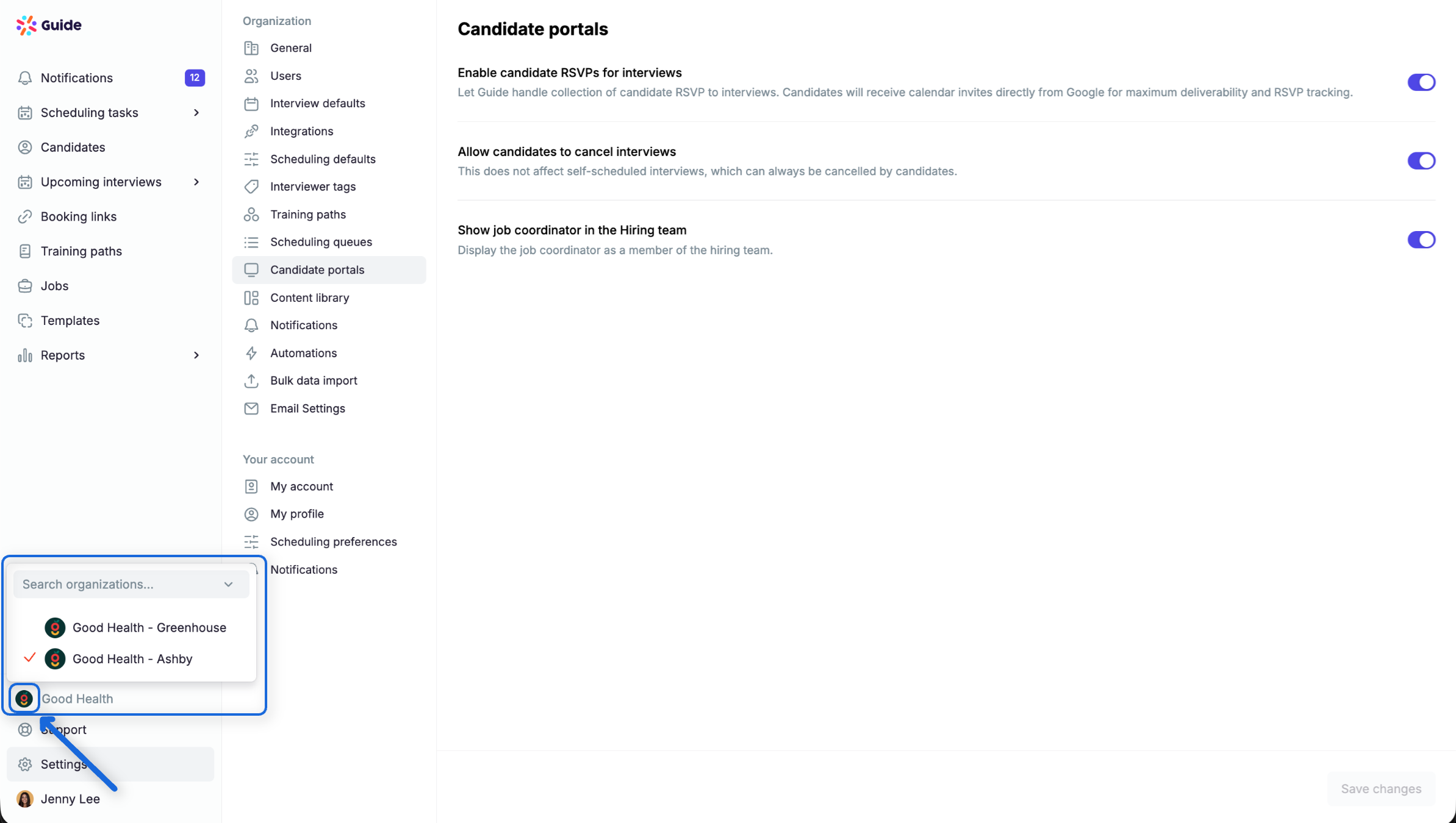
Once done, you will have access to both Greenhouse and Ashby environments in Guide.
You'll see them listed as separate accounts in the Guide switcher (e.g., "Good Health - Greenhouse" and "Good Health - Ashby").
Users can switch between them during the transition.
Connect Ashby to Guide
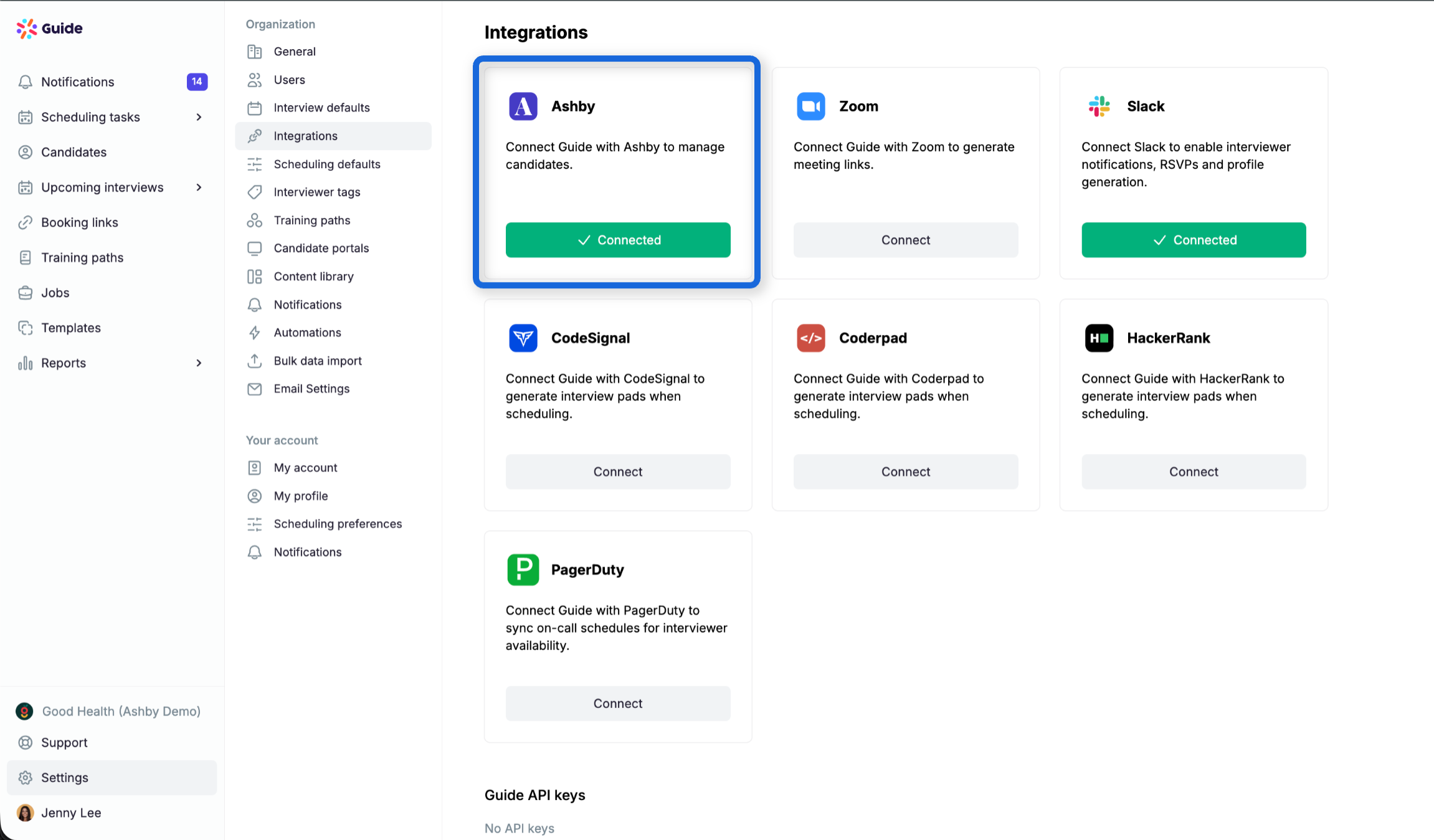
Navigate to Settings > Integrations in Guide.
Connect your Ashby account using your Ashby admin credentials.
Once connected, Guide will begin syncing Ashby jobs, candidates, and users.
Manually Input Email Templates
Ashby does not expose email templates via API, so you’ll need to manually re-add any Guide templates.
Go to Settings > Email Templates in your Ashby Guide environment.
Copy over templates from your Greenhouse Guide environment.
Re-link Templates to Jobs (if needed)
Once your Ashby jobs are synced, you may need to re-map your templates to the appropriate roles.
This ensures job-specific tokens and links are working correctly.
User Onboarding
When recruiters start using Guide in Ashby, they'll receive a one-time prompt to confirm their scheduling preferences (e.g., default meeting link, calendar settings).
After setup, scheduling works exactly the same.
🔄 Final Cutover & Clean-Up
Once you're confident your team is fully live on Ashby:
Let us know you're ready to deprecate the Greenhouse instance.
We’ll disable the Greenhouse Guide environment so your team no longer sees it in the switcher.
No data will be lost; archived instances remain accessible to the Guide team for historical records.
✍️ Summary Checklist
💬 Questions?
Our team is here to help. Contact support@guide.co or message us in your shared Slack channel.