August 27th, 2026
New
Improved

Improved Scheduling Queue and Task Assignment Controls
Heads up
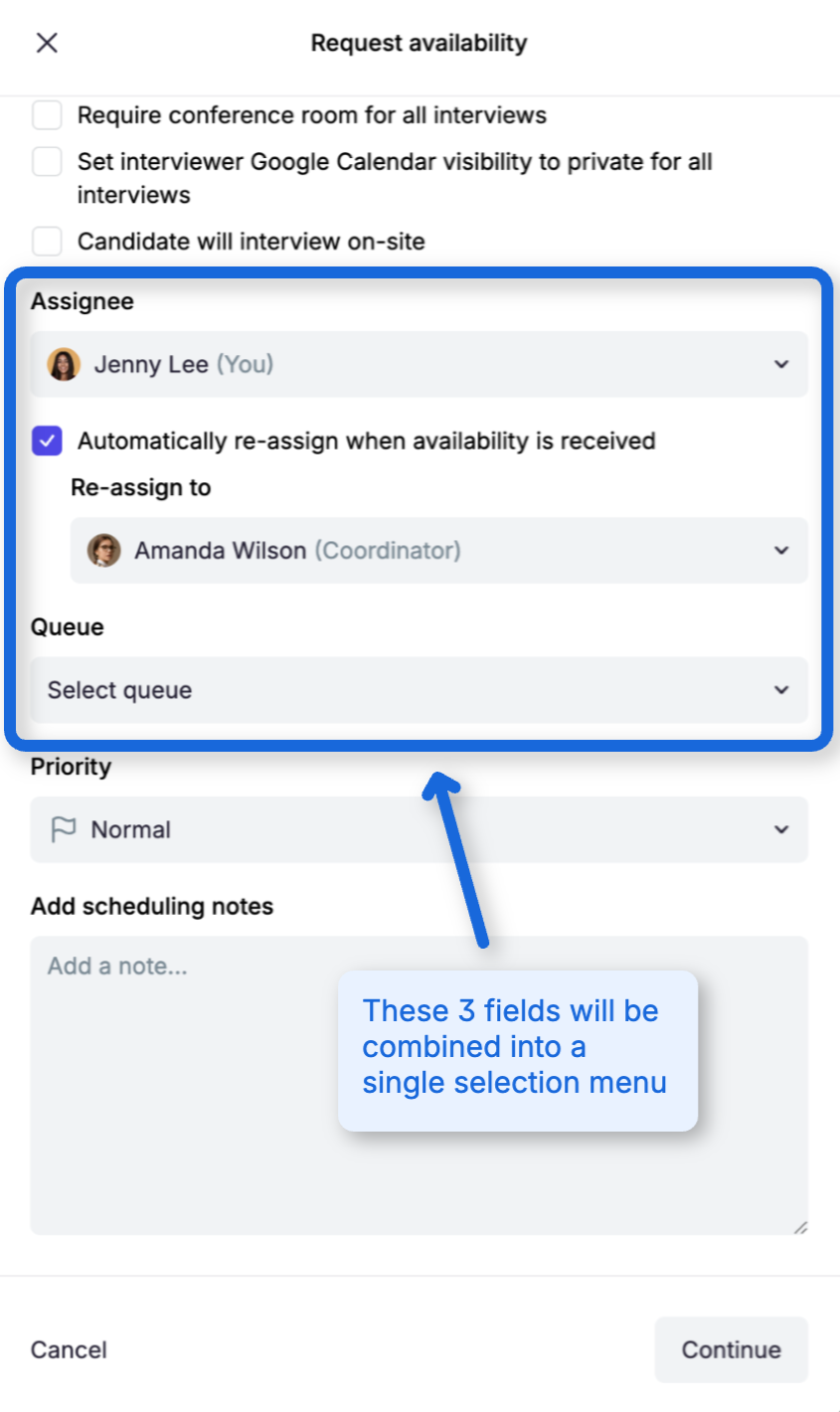
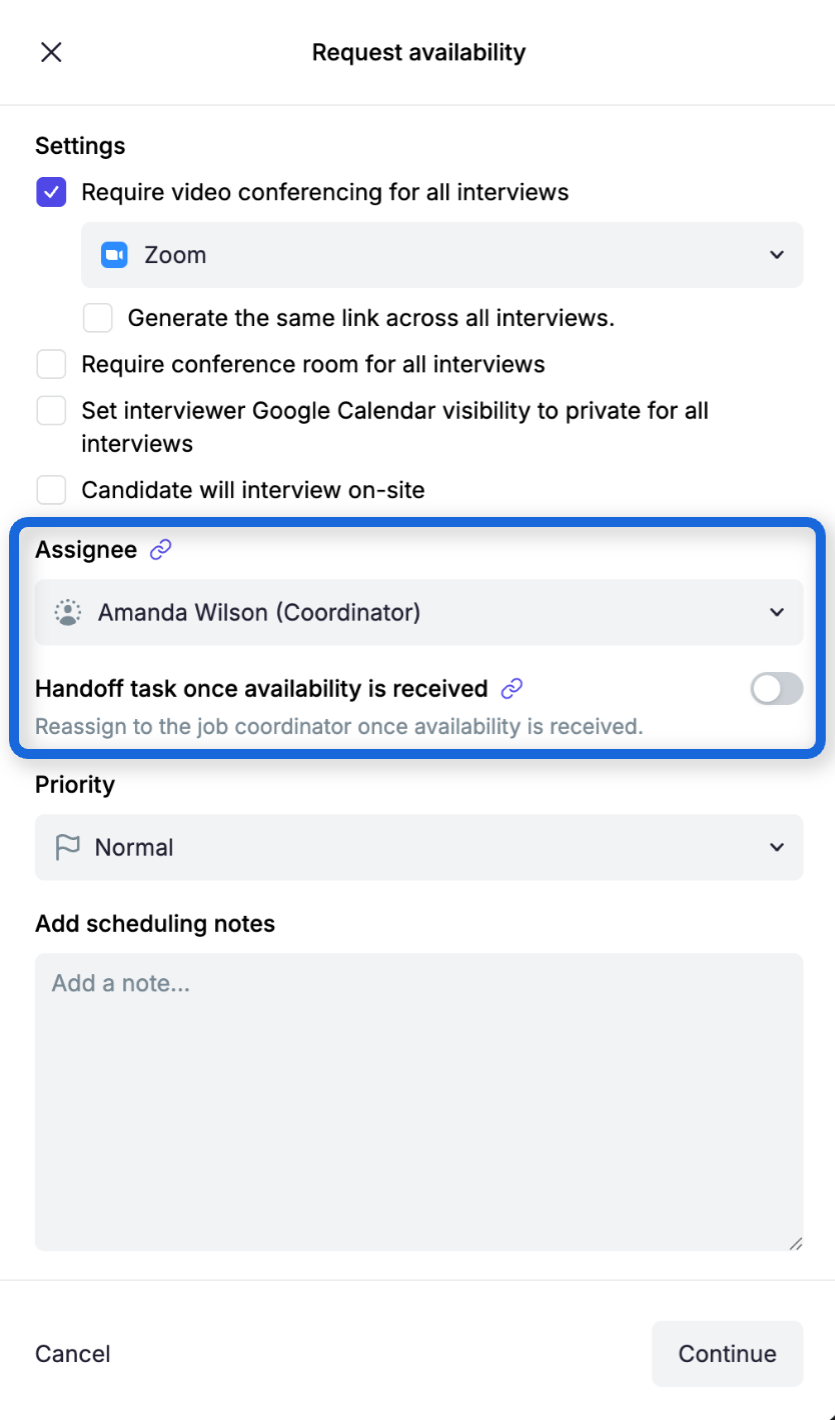
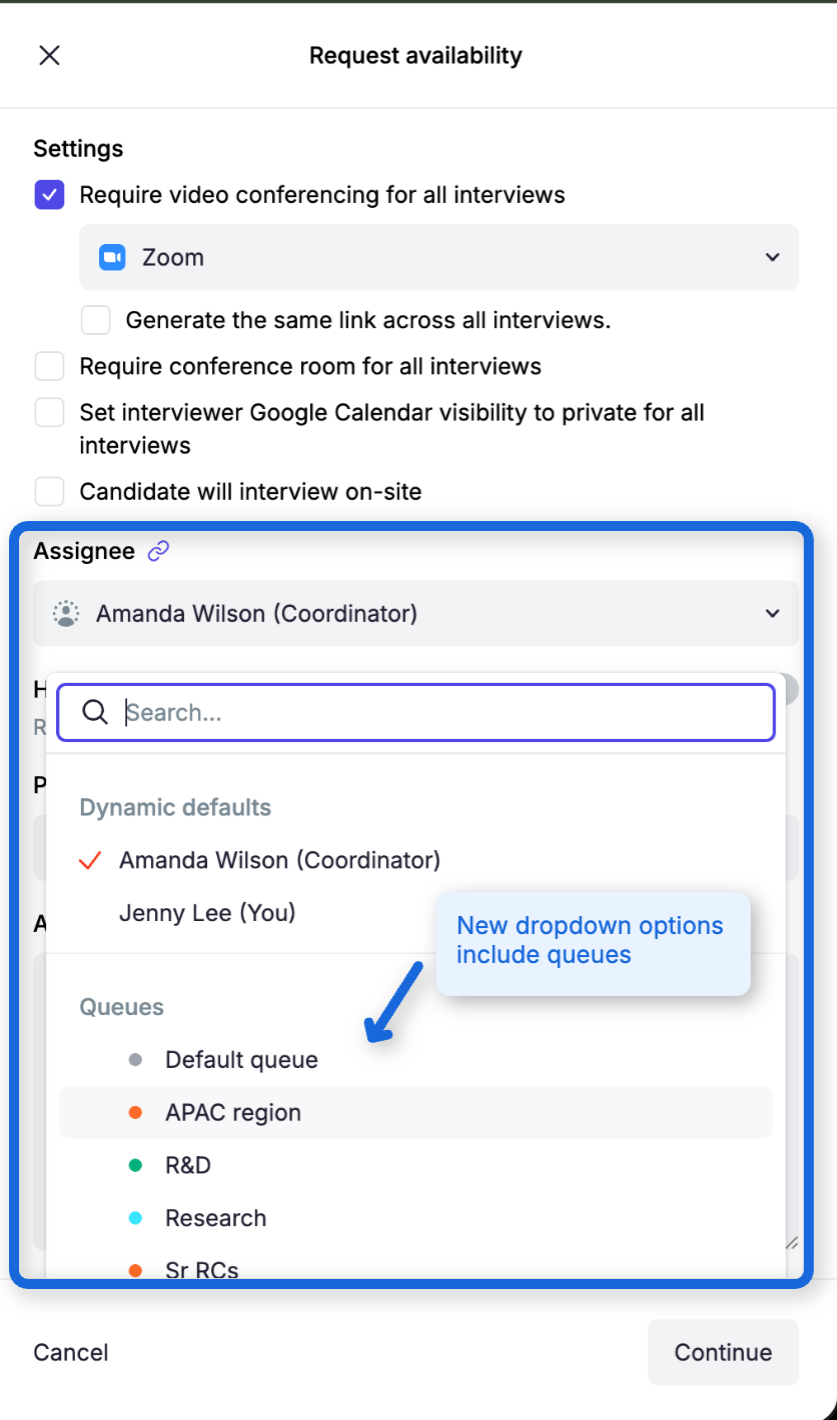
On Tuesday, September 1, we’re simplifying task assignment in the Request Availability workflow. This small update combines assignment options into a single field, helping recruiters work faster and avoid assignment mistakes.
We’ve made scheduling queues easier to understand and manage. Coordinators can now change where a task belongs without unexpectedly changing who owns it, quickly find work that needs attention, and see a clearer distinction between a task’s current state and its future handoff destination.
Queue and assignee are now managed independently
Open scheduling tasks now display separate Queue and Assignee controls on the Coordinator Dashboard and in task details.
When you move an assigned task to another queue, its current assignee is preserved. This makes it easy to correct the queue without taking the task away from the coordinator already working on it.
When an unassigned task moves into a queue, Guide runs that queue’s existing automatic-assignment strategy. If the queue has no strategy or no eligible members, the task remains unassigned and administrators are notified.
You can also move a task to No queue. Doing so preserves its current assignee and does not run automatic assignment.
Availability handoffs show current and future ownership separately
For tasks using Handoff task once availability is received, Guide now separates:
The current assignee
The current queue, shown as read-only No queue before handoff
The future person or queue selected as the handoff target
You can update the current assignee without changing the handoff target. You can also edit the future target or select Turn off handoff. When availability is received, Guide moves the task into its destination queue and runs that queue’s assignment strategy.
What you need to do
Nothing. Your existing queues, members, assignment strategies, and scheduling defaults continue to work as configured.
These improvements give coordinators more control over queue membership while preserving clear ownership of every scheduling task.